Charme dance AI
Charme Dance AI CapCut Template: How the Tutorial Works and a No-App Option
How the charme dance AI CapCut template tutorials work, step by step, and what a browser-based charme dance AI generator does differently: length, outfit, watermark and failed renders.
Published October 20, 2026
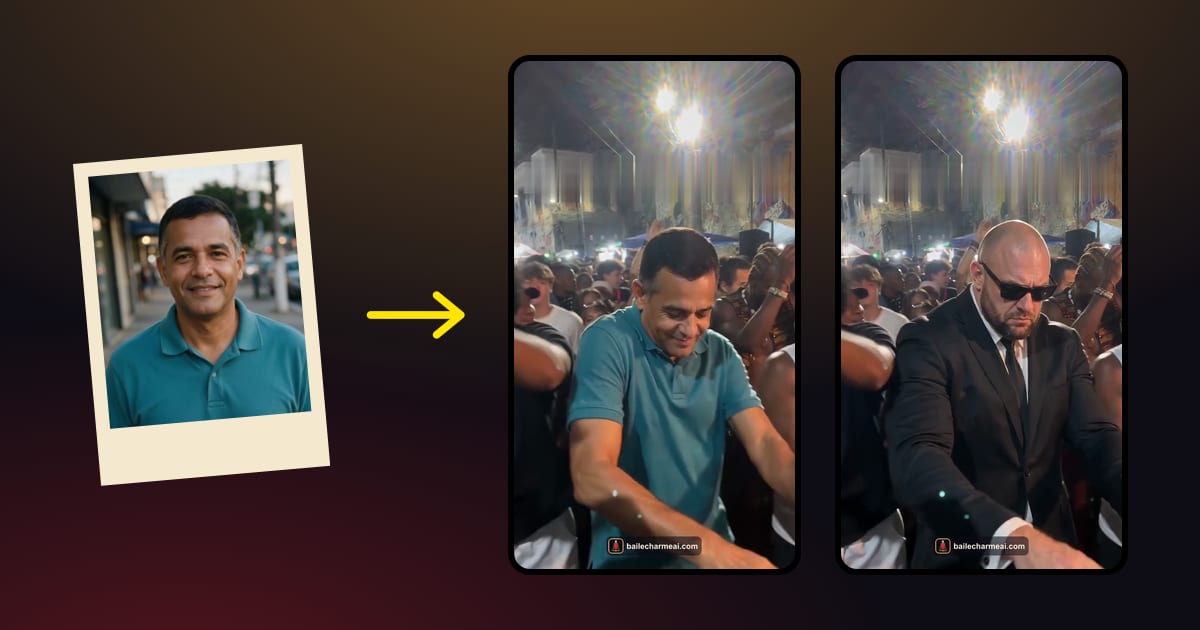
The charme dance AI CapCut template is a ready-made effect inside the CapCut app: you pick the template, add a photo and the app generates the charme dance scene from it. It is what most "turn photo into charme dance video" tutorials on TikTok show. If you don't want to use the app, a web-based charme dance AI generator does the same job from one photo in the browser, with a few differences in length, outfit and watermark.
Both routes are legitimate. This guide explains how each one works so you can choose the one that fits what you want to post.
What the "turn photo into charme dance video" tutorials show
Search TikTok for charme dance AI and the most-watched results are tutorials, usually titled something like "tutorial for charme dance in CapCut" or "turn photo into charme dance video". In Portuguese they appear as "tutorial de dança charme no CapCut", in Spanish as "plantilla de baile charme en CapCut".
They all follow the same format. A creator shows the finished clip first, a person in the middle of a Rio street party doing the charme step while the crowd cheers, and then records their phone screen while they make it: open the app, search for the template, tap use, choose a photo, export. Many of them end with a link to the template in the comments or the bio.
What the tutorials rarely show is what happens when the template doesn't fit your photo, or what the exported file looks like once it's on your camera roll. That's where the two routes start to differ.
How the CapCut template route works
Here is the general flow. Menu names change between app versions, so treat these as orientation rather than exact labels.
- Install CapCut. The template route runs inside the app.
- Find the template. Open the template link from a tutorial, or search the template section for terms like "charme", "baile charme" or "AI dance". There are several versions; check the preview to make sure it's the charme scene.
- Tap to use it and add your photo. The template asks for one or more images. Choose a clear photo of one person.
- Wait for the AI effect to process. The template builds the scene from its own footage and your photo.
- Preview and export. Save the result to your phone or post it straight from the app.
The template decides most of the result: the scene, the timing, the music track and the length are set by whoever made it. You choose the photo.
What you get from a web charme dance AI generator instead
A browser tool works from the same idea, one photo in and a charme dance scene out, but it is built as a standalone product rather than an effect inside an editing app. With the charme dance AI generator on this site, the process is:
- Upload one photo of one person, face clearly visible, in any phone or desktop browser.
- Choose 10 or 15 seconds. A 10-second video uses 10 credits and a 15-second video 13.
- Download the MP4 in 3–5 minutes: vertical 9:16, 720p, AI-generated sound, no watermark.

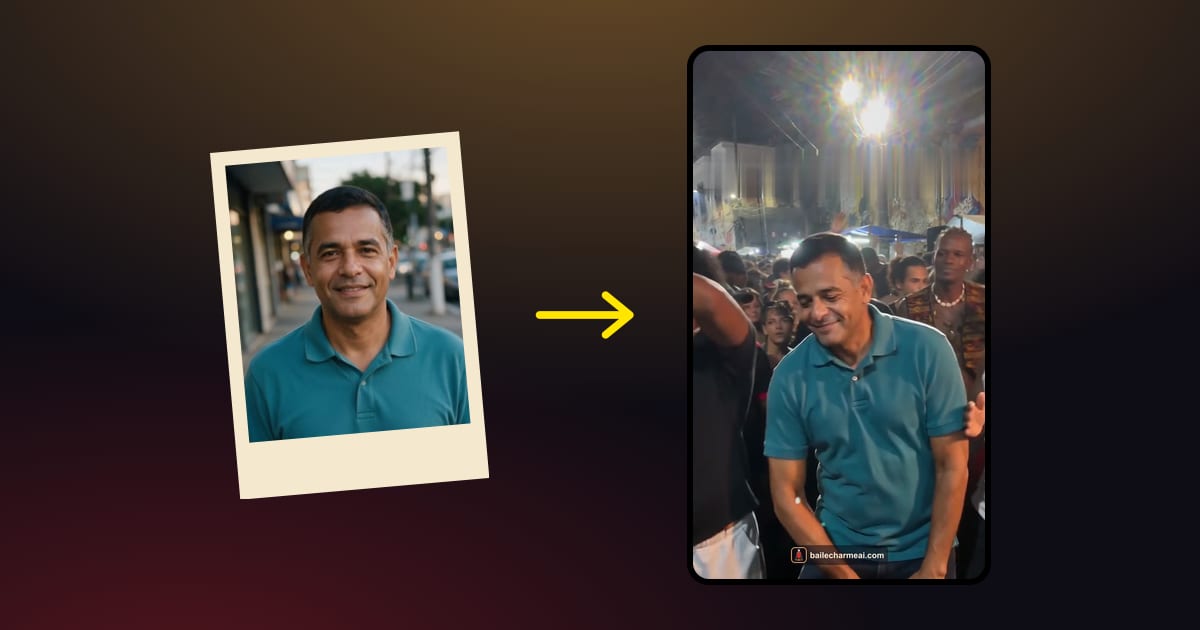
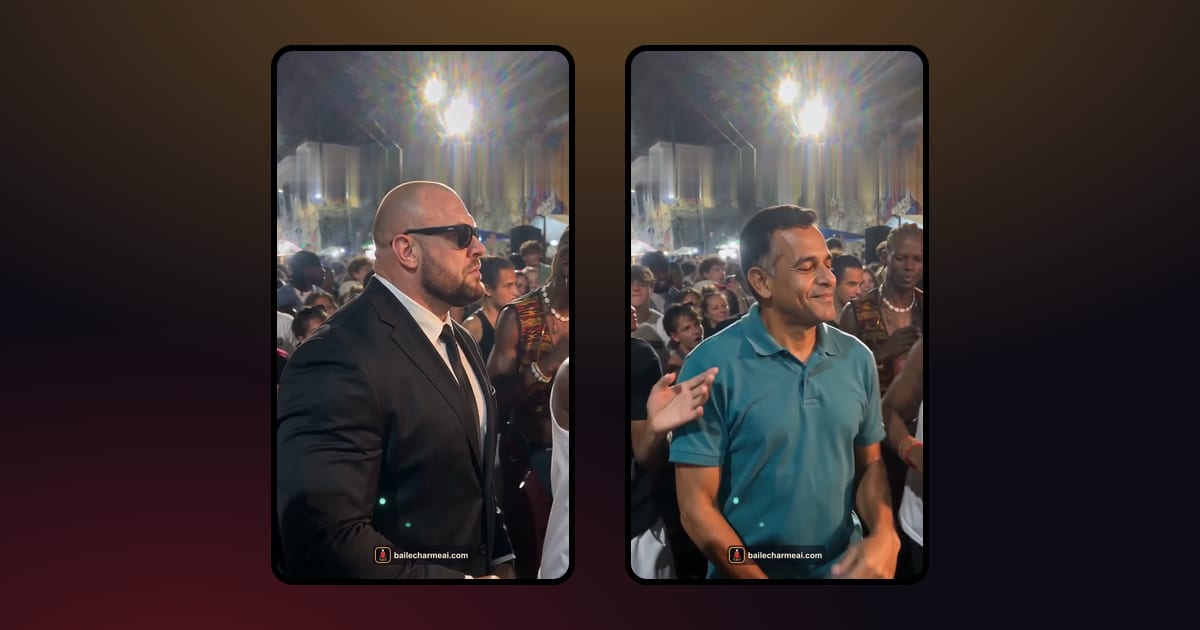
The scene is rendered new for each photo: an AI-made Rio night street party, one handheld phone shot, the crowd reacting around the dancer. The person keeps the face, hair and outfit from the photo, instead of being dressed by the template.

Skip the setup: make yours from one photo
Side by side: where, length, outfit, watermark, failed renders
These are the practical differences you'll notice when you actually make one.
| Charme Dance AI (browser) | CapCut template | |
|---|---|---|
| Where it runs | Any browser, no app | Inside the CapCut app |
| Length | 10 or 15 seconds, your pick | Fixed by the template |
| Outfit | Kept from your photo | Depends on the template |
| Watermark | None | CapCut ending |
| If a render fails | Credits back automatically | Try again yourself |
A few notes on what those rows mean in practice:
- Where it runs. If you already edit everything in CapCut, the app is no obstacle. If you'd rather not install anything, or you're making the video on a computer, a browser tool is quicker.
- Length. With a template you get the timing it was built with. Choosing between 10 and 15 seconds lets you match the clip to the post: short for a loop, longer to give the crowd reaction and your caption more room.
- Outfit. This is the difference people notice most. A charme dance AI video is funnier when grandpa is dancing in his own shirt, so keeping the clothes from the photo matters.
- Watermark. A clip without an app ending looks the same on TikTok, Reels and Shorts, and in a group chat.
- Failed renders. AI video sometimes fails. With credits returned automatically, a failed attempt doesn't cost anything.
Tips that help with either route
Whichever route you take, the same few things decide whether the clip looks like a real night at a baile:
- One person per photo. Group shots confuse every charme dance AI tool, template or not. Crop to one person or pick a solo photo.
- Show the body. Waist-up or full body, with the arms in frame. The charme step lives in the shoulders and the feet, and the AI can't animate what it can't see.
- Keep the face clear. No sunglasses, masks or heavy beauty filters, and the face turned toward the camera.
- Think about the outfit. If the tool keeps the clothes from the photo, choose a photo where the outfit is part of the joke: grandpa's best shirt, mom's party dress, the boss in a suit.
- Ask first. If the photo is of someone else, check that they're happy to end up on the dance floor, and on your TikTok.
- Label it. Turn on the platform's AI label when you post. It doesn't spoil the joke, and it keeps the trend honest.
Which one to pick
Pick the CapCut template if you already use CapCut every day, you like the template's look as it is, and you plan to edit the clip further in the app.
Pick a browser charme dance AI generator if you want to:
- make the video without installing an app;
- keep the person's own outfit from the photo;
- choose between a 10- and a 15-second clip;
- post a file with no watermark;
- not worry about failed renders.
It is a paid tool: there is no free preview, and the Solo pack is $6.99 for one 10-second video. New accounts can get their first video for less during the launch offer; the current prices are shown on the charme dance AI page before you pay.
Either way, the photo matters more than the tool. Our step-by-step guide to making a baile charme AI video from one photo covers which photos work and how to fix a result that looks off.
FAQ
Is there an official charme dance AI CapCut template?
There are several community-made templates with the charme scene, shared through tutorials and template links. None of them is "official", because the trend doesn't belong to anyone. Baile Charme AI is an independent tool and not affiliated with CapCut or TikTok.
Can I use the CapCut template on a computer?
The templates are built for the CapCut app, mostly on phones. A browser tool like the charme dance AI generator works the same on a laptop or a phone.
Why does my CapCut charme video change my clothes?
The template builds the scene from its own footage, so the outfit depends on how the template was made. If you want the person to keep the clothes from the photo, use a tool that renders a new scene around the photo instead.
Keep reading
 Baile charme AIHow to Make a Baile Charme AI Video From One Photo (Step by Step)A step-by-step guide to the baile charme AI trend: which photo to use, 10 or 15 seconds, how to post it on TikTok, Reels and Shorts, and what to do if the video looks off.October 20, 2026 · →
 Charme dance AICharme Dance AI on TikTok: 7 Video Ideas, Captions and the SoundSeven charme dance AI video ideas for TikTok, Reels and Shorts, caption lines that fit the 'nobody believed in grandpa' joke, how to handle the sound, and why you should label it as AI.October 20, 2026 · →