Baile charme AI
Baile Charme AI Prompt: What Makes the Clip Work (and Why Text Alone Fails)
Trying to write a baile charme AI prompt for a general video model? Here is what the scene needs, a starter prompt you can adapt, the usual failures, and how to skip the prompt entirely.
Published October 20, 2026
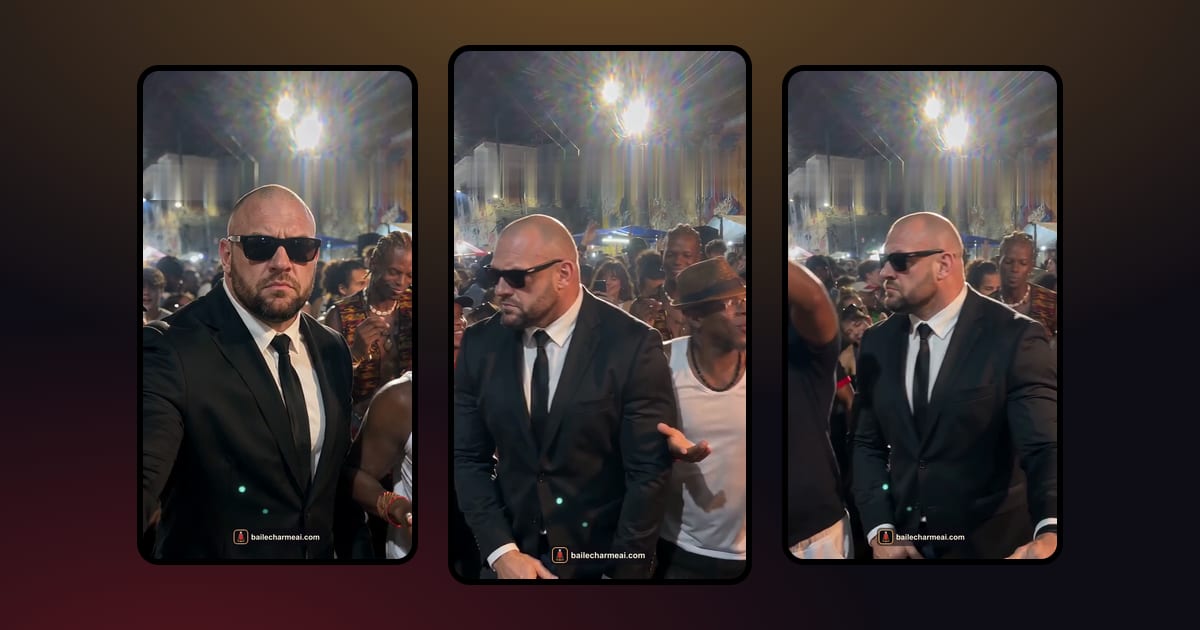
A good baile charme AI prompt describes four things: one dancer taken from your photo, a crowd that reacts, a single handheld phone shot, and the warm lights of a Rio street party at night. But even a perfect text prompt rarely gets the charme step itself right, because video models have seen far more generic dancing than charme. That is why a dedicated tool, where the scene is already built and tested, is usually the easier route.
This guide is for people who want to try it in a general-purpose video tool. It explains what matters, gives you a starter prompt and lists the problems you are likely to hit. If you would rather skip all of that, the baile charme AI generator is the shortcut, explained at the end.
Why a text prompt alone rarely gets the charme step right
When you type "an old man dancing charme at a street party in Rio" into a text-to-video model, it has to guess three things at once: what the person looks like, what charme looks like and what the scene looks like. It usually gets the scene roughly right and the other two wrong.
The dance is the hardest part. Charme is subtle. The steps are small side steps and crosses, the shoulders move in a relaxed rhythm, there is a turn on the beat, and the whole thing is smooth rather than energetic. To a model trained on millions of dance videos, "dancing" mostly means hip-hop, TikTok choreography or club dancing. Ask for charme and you will typically get a generic bounce, arms waving, or a sudden burst of breakdance moves that no one at a baile would ever do.
Longer descriptions don't fix it. It is tempting to describe every move: "steps left, crosses right foot behind, rolls shoulders, turns 180 degrees". Write out a full one-take scene and you will often get a camera and a crowd that look fine, while the movement doesn't read as charme at all. The model follows the words loosely and fills in the rest with what it knows best.
The identity drifts. Without a reference image, the model invents a face. Even with a photo, if the prompt describes the person ("an elderly man with white hair"), the description can fight with the photo and you get someone who is neither.
So use the text for what words do well: the scene, the camera, the light and the crowd's reaction. Let the photo carry the person, keep the dance instructions short, and expect to generate several versions before one looks right.
The four parts of the scene: one dancer, the crowd, the handheld camera, the night lights
If you write your own prompt anyway, make sure it covers these four parts. Leave one out and the clip stops looking like the trend.
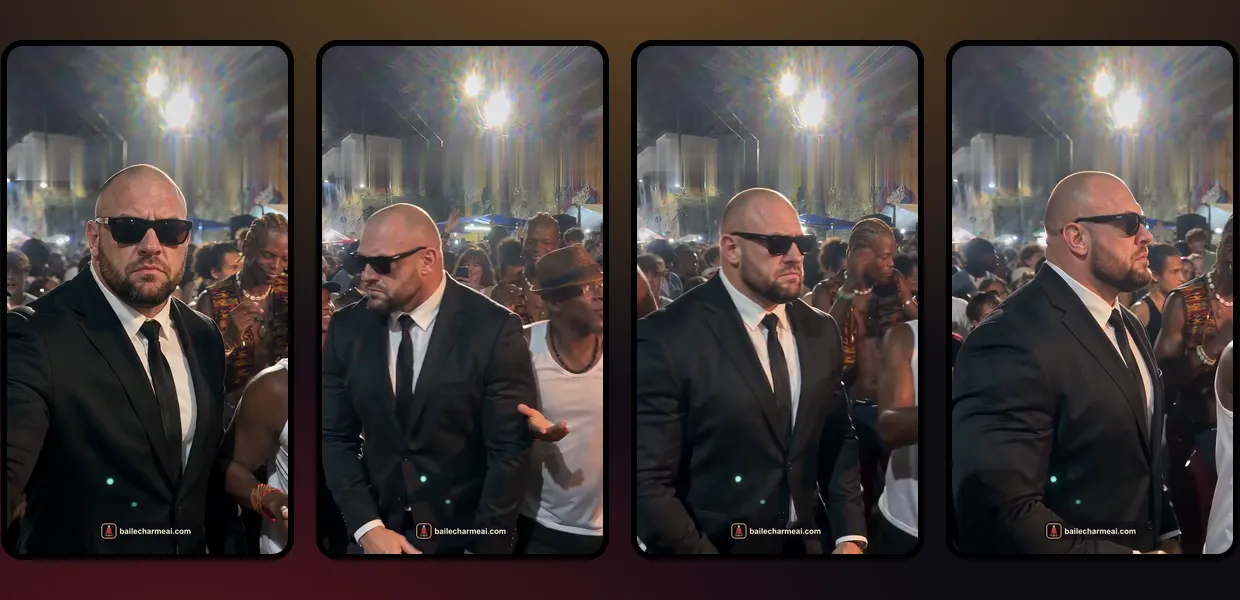
1. One dancer, from the photo
The dancer should be the only person whose appearance you care about. Say clearly that the person comes from the reference photo and keeps the same face, hair and clothes. Don't describe their age or features in words; let the image do that. Keep them at the center of the frame for the whole clip.
2. The crowd that reacts
The joke of the trend is the crowd's reaction: they watch, they join the step, they cheer and film with their phones. Describe that arc. A crowd that only stands still makes the clip feel like a green-screen cutout.
3. One handheld phone shot
The original clips look like someone filmed them on a phone at the party: vertical, one continuous shot, slight shake, the camera following the dancer. Ask for exactly that, and ask for no cuts. Smooth cinematic camera moves make it look like an advert instead of a night out.
4. Night street-party lighting
Warm floodlights from above, colored lights in the background, a concrete viaduct or an old street with painted walls, a bit of haze. This is the look of a Rio baile at night. It also hides small imperfections better than flat daylight.
A starter prompt you can adapt
Here is a general-purpose prompt you can paste into most image-to-video tools that accept a reference photo. Adjust the bracketed parts to your scene.
Vertical 9:16 video, one continuous handheld phone shot, no cuts.
A night street party in Rio de Janeiro under a concrete viaduct,
warm floodlights from above, colored string lights, light haze.
The person from the reference photo, with the same face, hair and
clothes, dances charme in the center of the crowd: small smooth side
steps, relaxed shoulder rhythm, a half turn on the beat, arms loose.
The people around [him / her] stop to watch, then join the same step
in sync, cheer and film with their phones. The camera follows the
dancer with slight natural shake. Realistic skin, fabric and light.
No text, no captions, no logos, no watermark.
A few rules that help, whatever tool you use:
- Ask for no text. Many viral clips have a burned-in caption; models copy it as garbled letters.
- Keep the motion simple. One step, one turn, one reaction. Ask for too much and the model blends it into a mess.
- Generate several takes. The same prompt gives a different dance every time. Make three or four and keep the best one.
Common problems: wrong outfit, wrong face, frozen crowd
These are the failures you will see most often, and what usually causes them.
- Wrong outfit. The model gives the dancer clothes from its idea of a party. Fix: use a waist-up or full-body photo, and repeat in the prompt that the clothes stay the same as the photo.
- Wrong face. The face slowly turns into someone else during the turn. Fix: a sharper, front-facing photo, no sunglasses, and remove any words that describe the person's looks.
- Frozen crowd. The background people stand like statues or loop the same movement. Fix: describe what the crowd does over time, and avoid crowded close-ups where faces have to stay consistent.
- Generic dancing. The step looks like club dancing. Fix: keep the step description short (side steps, shoulders, one turn) and generate more takes. Text alone often won't get all the way there; this is the part a dedicated tool has already solved.
- Burned-in text. Random letters appear at the top or bottom. Fix: "no text, no captions" at the end of the prompt.
Skip the setup: make yours from one photo
Skip the prompt: one photo, no settings
All of the above is why we built the baile charme AI video generator the other way around. Instead of asking you to write a prompt, it already contains the scene, the charme movement, the crowd's reaction and the handheld camera, tested on both lengths. You only provide the person.

- No prompt to write. Upload one photo; that is the only input.
- Your own clothes. The dancer keeps the face, hair and outfit from the photo.
- 10 or 15 seconds. Pick the length; the scene is paced for each.
- No app, no editing. It runs in the browser and returns a vertical 720p MP4 with AI sound and no watermark in 3–5 minutes.
- Failed renders cost nothing. If a video can't be finished, its credits go back to your balance automatically.
It isn't free: a 10-second video uses 10 credits and the Solo pack is $6.99. But it saves the hours of trial and error described above. For the step-by-step version, see how to make a baile charme AI video from one photo.
FAQ
Do I need a prompt to make a baile charme AI video?
Not with a dedicated tool. On the baile charme AI site you upload one photo and choose 10 or 15 seconds; the scene and the dance are already set. You only need a prompt if you use a general video model.
Can I see the exact prompt your tool uses?
No. How our tool builds the scene is our own work and isn't published. The starter prompt above is a general example for other tools, not the one we use.
Which video models can do the trend?
Most image-to-video models that accept a reference photo can produce a street-party scene. Getting a convincing charme step is the hard part: expect many attempts, and results vary a lot from one model to another.
Keep reading
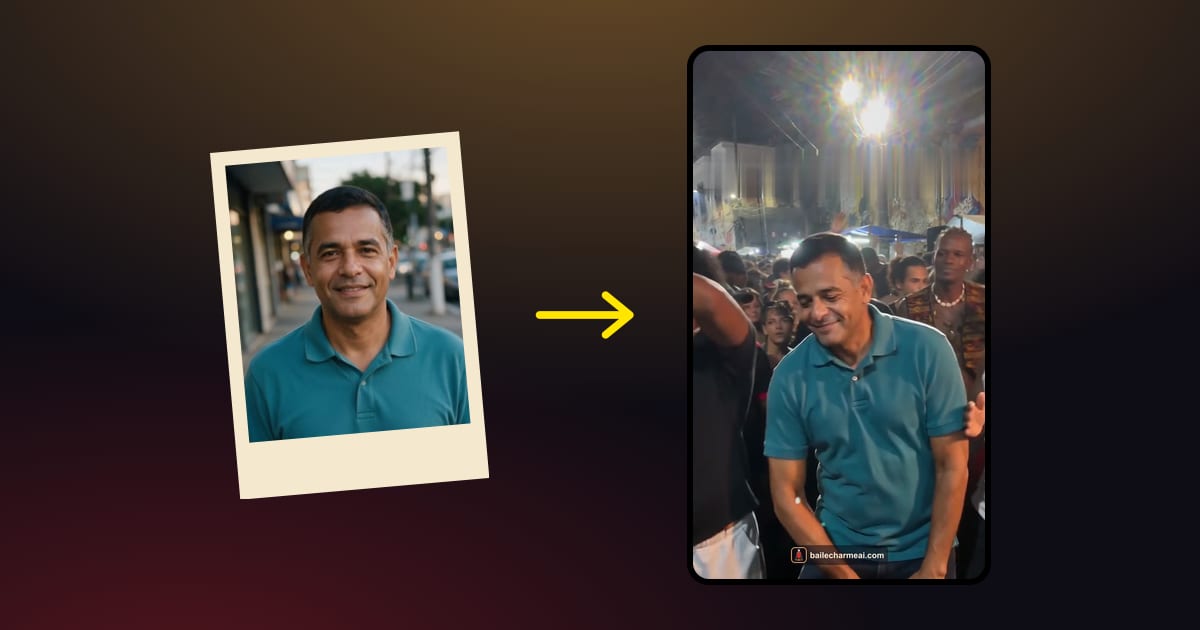 Baile charme AIHow to Make a Baile Charme AI Video From One Photo (Step by Step)A step-by-step guide to the baile charme AI trend: which photo to use, 10 or 15 seconds, how to post it on TikTok, Reels and Shorts, and what to do if the video looks off.October 20, 2026 · →
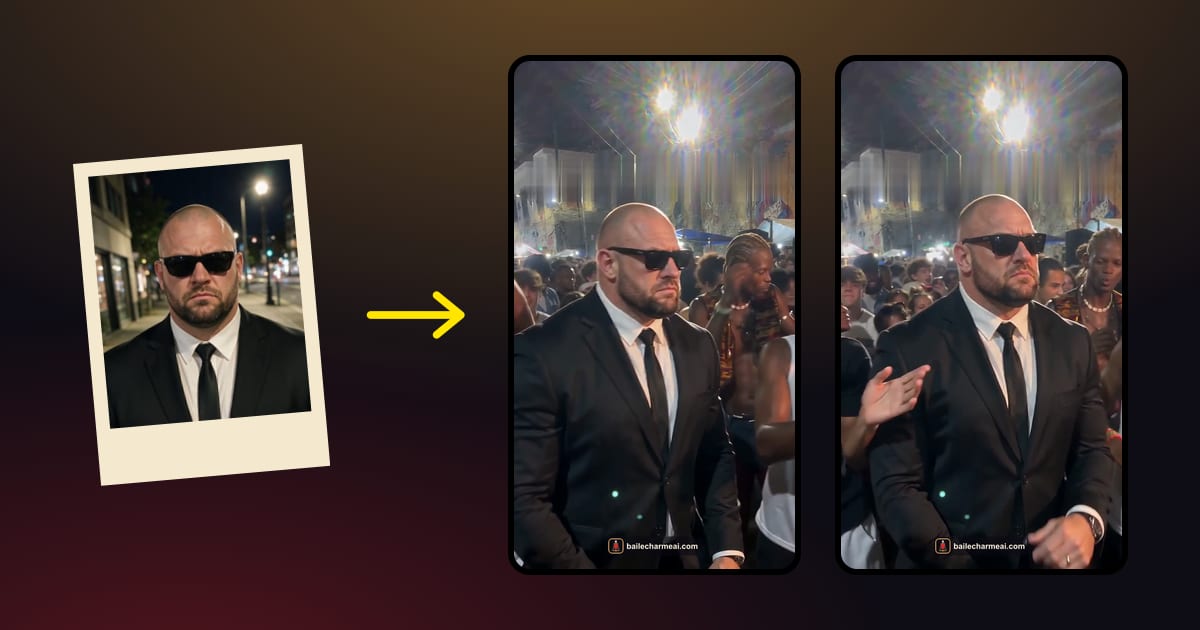 Baile charme AIWhat Is the Baile Charme AI Trend? The Vovô, the Viaduct and the Dance Behind ItBaile charme AI is the TikTok trend that turns one photo into you dancing charme at a Rio night street party. Here is where the dance, the grandpa and the joke come from.October 20, 2026 · →